
Hockey subs, without keeping it all in your head.
Your eleven are out there and five more are on the bench watching you. One has just come off and is still blowing. Another hasn't been on since the first quarter and has started looking over. You have better things to do than run sixteen stopwatches in your head.
Open RotateFree. No account. Works at the side of the pitch even with no signal.
 Orange means there is something to do 🔗
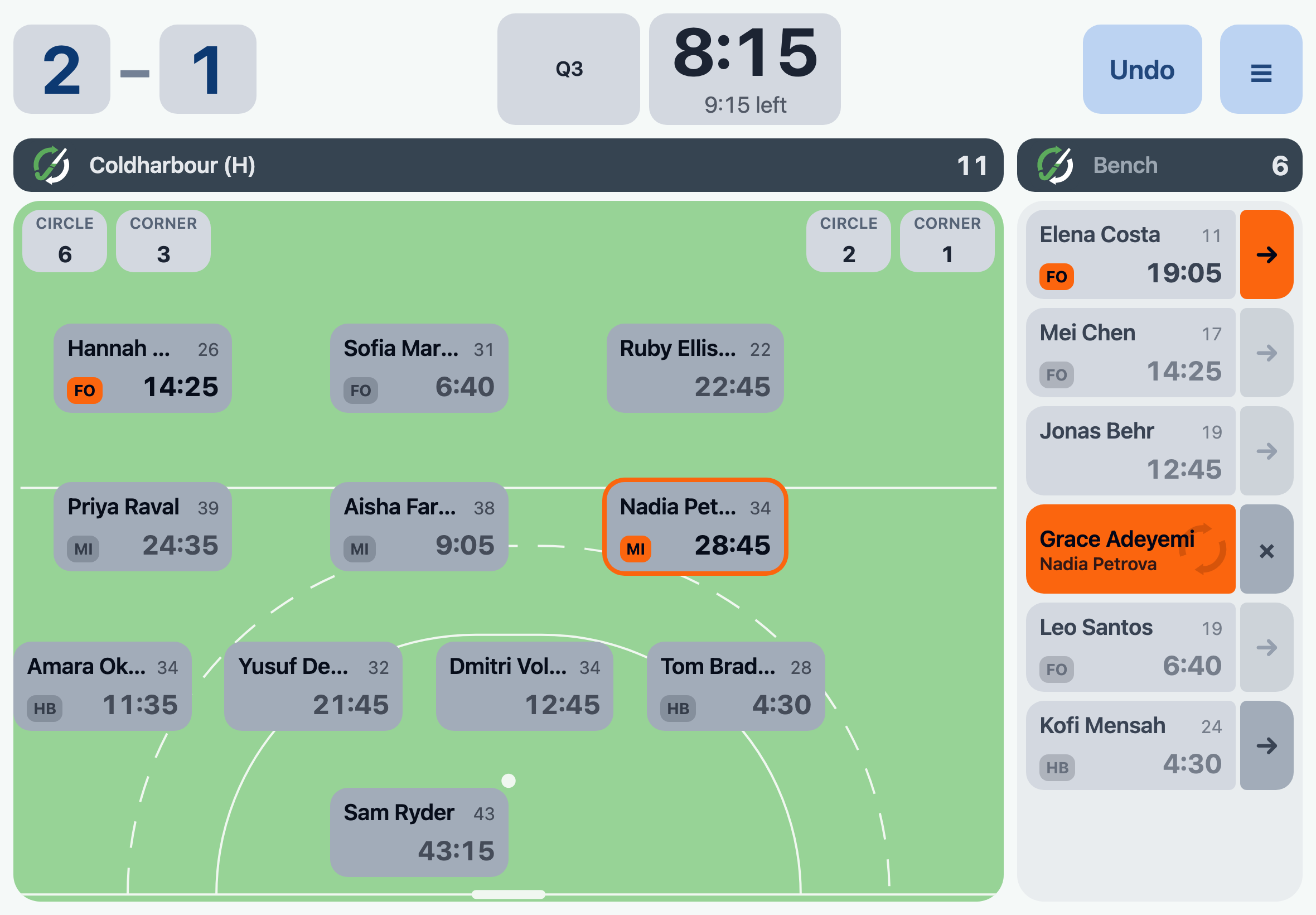
Rotate stays quiet until it has something to tell you. When there is something worth doing, it goes orange. No orange, and you can go back to watching (dare we say enjoying) the game.
Orange is a suggestion, never an instruction - ignore it and Rotate does exactly what you ask. The umpire decides what happens and when, and Rotate's job is to keep up rather than guess. A quarter never ends on its own, and a player whose suspension is up still waits for one more tap, because the umpire lets them back on and not the countdown.
In the screenshot above, there are two nudges in orange.
The rotation group FO suggests Elena comes on for Hannah. Tell Elena to get ready and get a shout out to Hannah, then tap the arrow on Elena's bench card. It sits there showing the pending sub until bibs are swapped and you click to say Elena has swapped with Hannah, however many times the ball goes out first.
You've already told Grace to come on for Nadia. Her card is on the bench with both names on it, and she is stood at the halfway line waiting. The moment it actually happens, tap the card and the two swap places.
Rotate is built for one person stood at the side of a pitch in the cold, holding an iPad. Everything you tap while the ball is in play is big, and all of it is on one screen. A sub never takes you off the board.
Setting up is typing the names 🔗
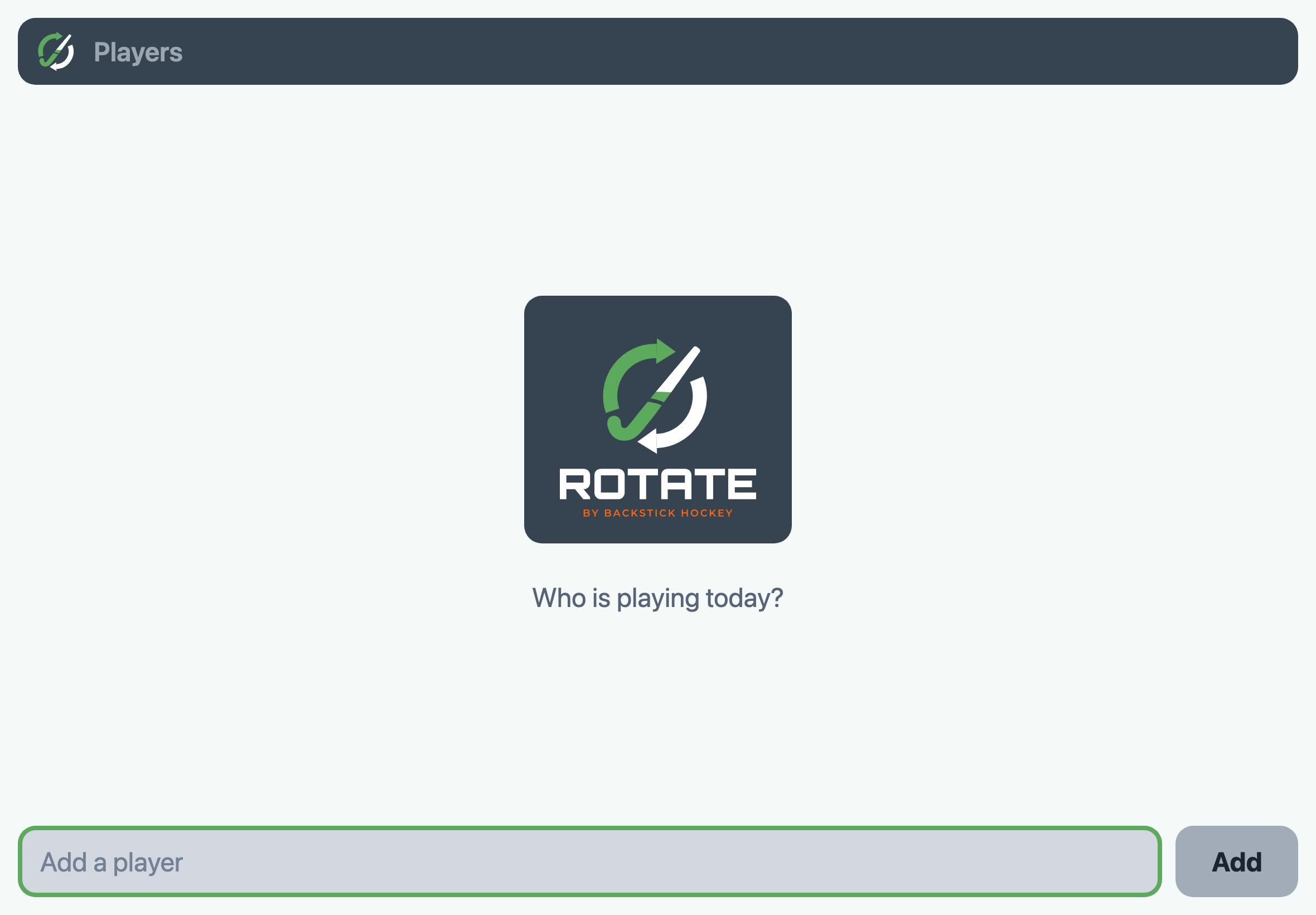
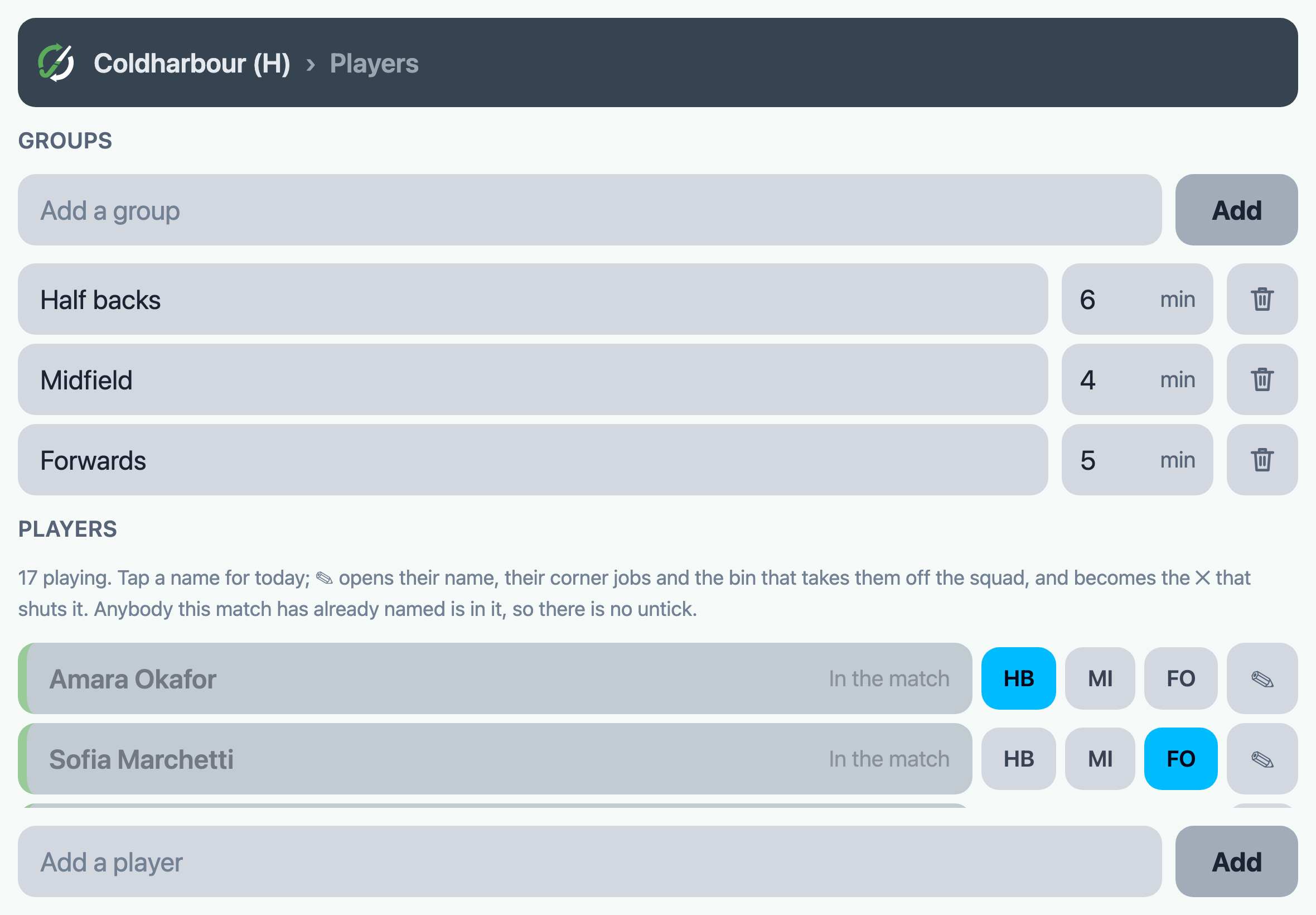
Type in whoever is playing today. That is the whole of it - nothing else to fill in before the whistle.
Tap the match's name at the top to get to the pitch. Pick your starting eleven with a tap each. Drag them around into the position they play on the pitch.
Next week, the names are already in 🔗
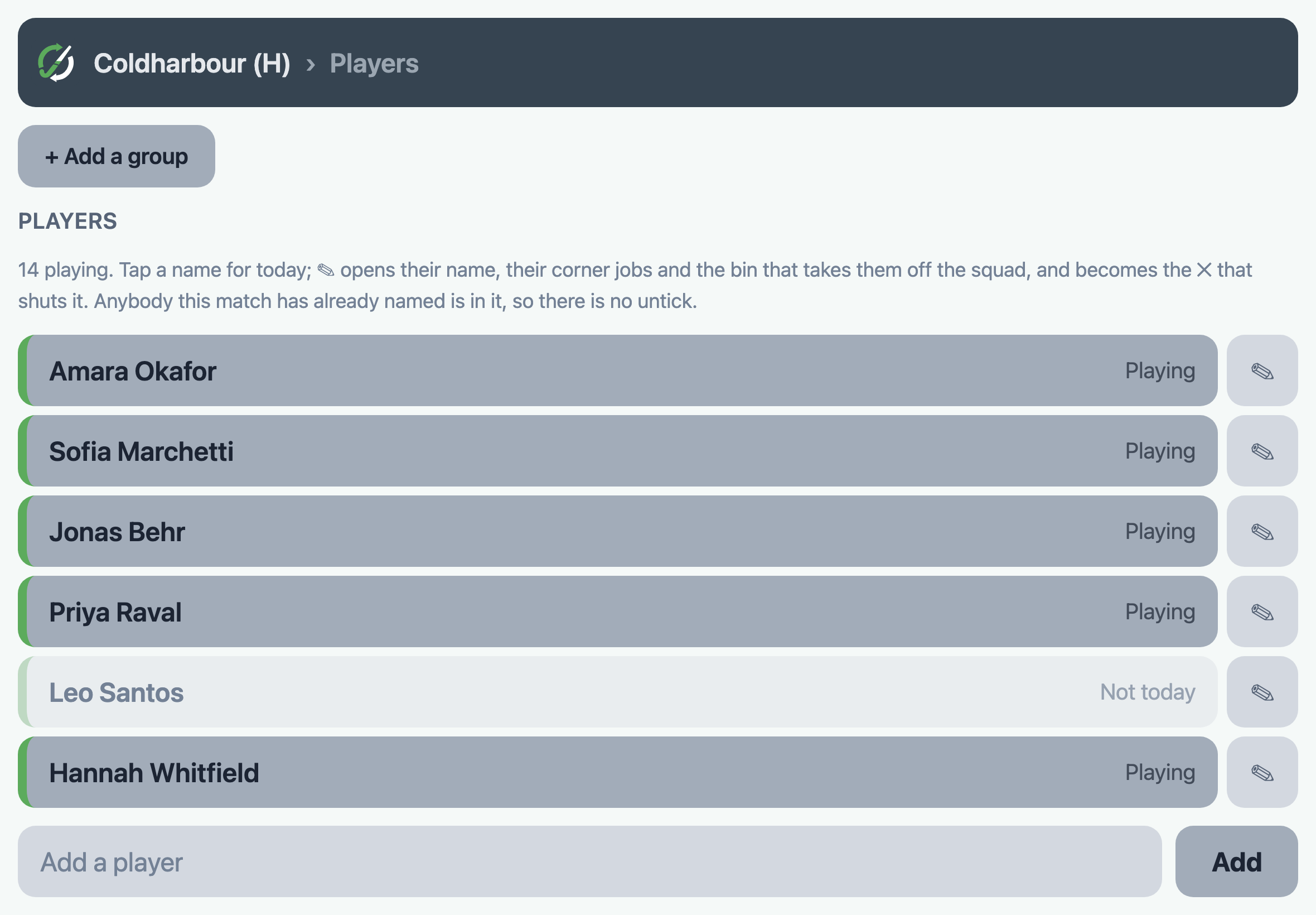
Type them once. After that, every match starts from the same list, and a tap says who is playing today.
The injury, the week off, the one pulled up for the day - none of those is a change to your squad. Tap them out for this match and they are still there next Saturday.
Your three half backs, six minutes each 🔗
Put the players who swap with each other in a group and say how long a stint is. Rotate watches the clock for that group and tells you when a stint is up.
It is still your call. The group that has been out for eight minutes in a game you are winning can stay out there.
It carries on without you 🔗
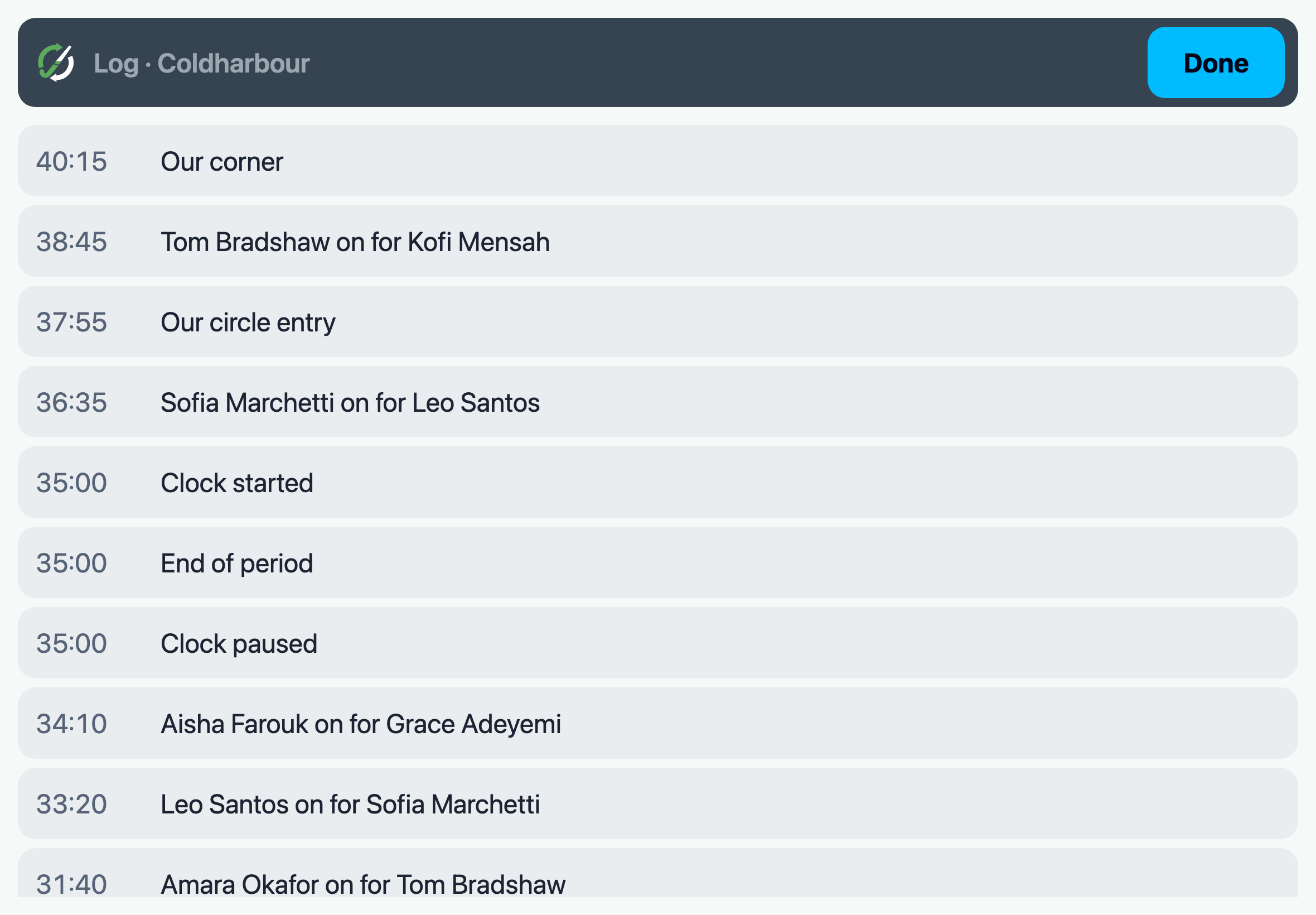
Rotate writes down what happened and works everything out from that list.
The iPad locks. Safari throws the tab away. It rains and you put it under your coat for ten minutes. Open it again and every number is right, because they are all worked out from the list the moment you look.
Tapped the wrong name? Undo, at the top of the screen. For the one you only spot at half time, the Log has every tap in it, and anything wrong can be put right.
The stats, without the soggy bit of paper 🔗
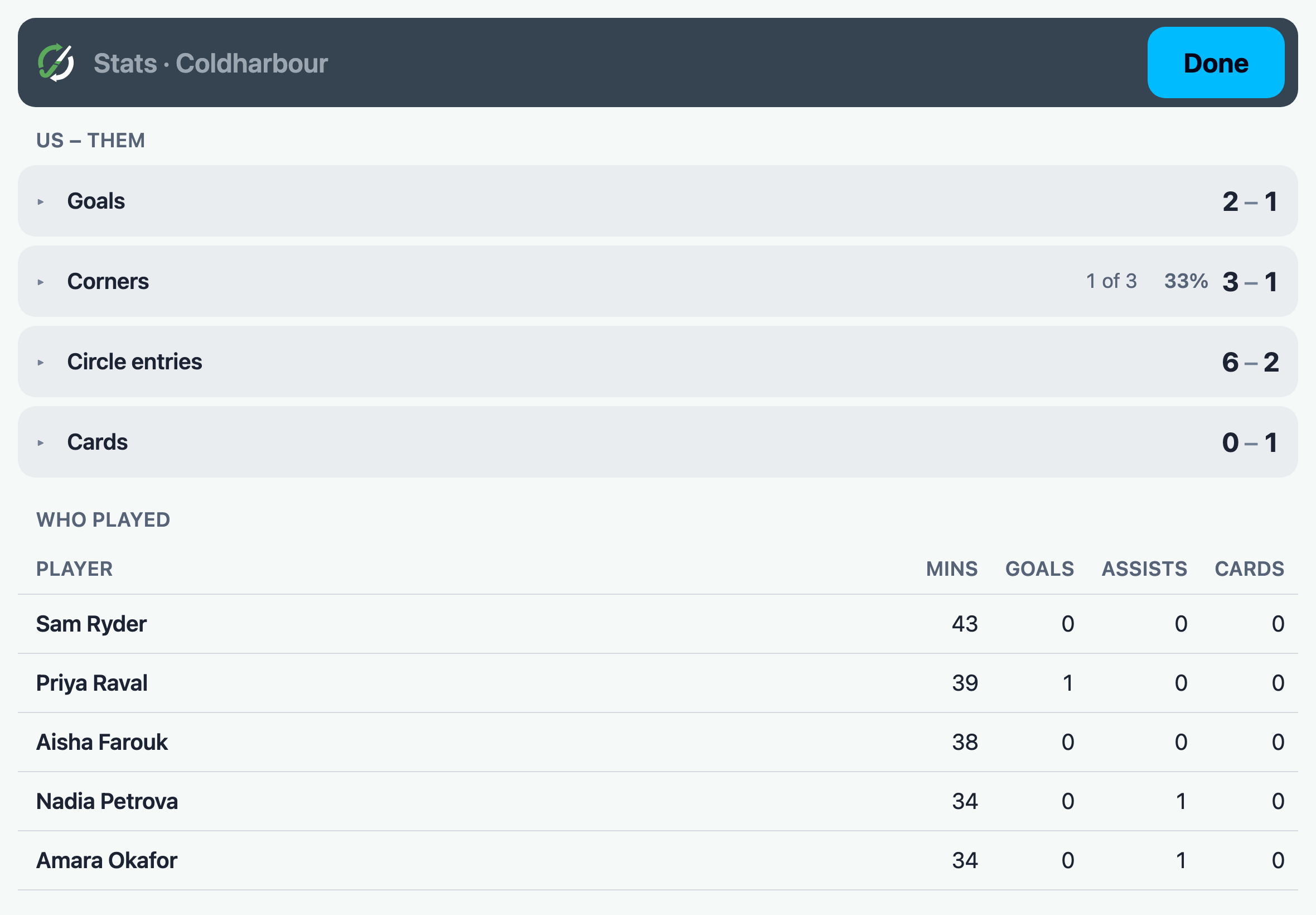
If you want them. Tap the scorer, then Goal, and add an assist if you know it. One tap for a circle entry or a corner won.
At full time it is all there: who played how long, who scored, and how many of those corners turned into anything.
It is on your iPad, and nowhere else 🔗
No account, no login, nothing sent anywhere. Nobody is holding a copy of your season but you.
What it costs 🔗
Nothing today, and there will always be a free Rotate.
Exactly what sits in it, and what sits behind the paid one, is still being worked out - enough free to be worth your Saturday, enough paid to be worth the money. Some of what is above will land on the paid side.
Try it on the sofa first 🔗
Type in twelve names, add eleven to the pitch and make a sub. Five minutes now is worth an hour on Saturday.
Open RotateNever seen it before? Getting started walks through a first match, from an empty screen to a full time whistle.